V

Remove Veo Template Watermark with AI - Auto Detect & Erase

Free Veo watermark remover for templates and videos. Erase Veo watermark from template exports instantly with AI. Upload your Veo template video and take off the watermark tag free – perfect for YouTube, TikTok, Instagram Reels, and Shorts. Works on all Veo exports. No software download required. 100% free online tool.

Upload Veo Video to Remove Watermark

Sign in with Google to get free credits. Instantly erase the Veo logo and ending watermark from your videos.

Veo Watermark Removal Manual Draw

Draw on the video preview to mark the watermark area. Use rectangle or brush tool to mark, eraser to adjust.

Original Video

No video uploaded yet

Upload a video to see the preview here

01

Veo-aware

Optimized for typical Veo watermark positions on exports.

02

Social-ready

Get clean clips ready for cross-posting on multiple platforms.

03

Creator-friendly

No complex timeline editing – just upload, clean, download.

AI-Powered Features for Perfect Results

Advanced artificial intelligence technology ensures clean, professional watermark removal

Smart AI Detection

The AI automatically locates the Veo logo and the ending screen, saving you time. No manual selection needed.

No Blur & Original Quality

Unlike basic blur tools, our AI intelligently reconstructs the video background while preserving your original video quality.

Instant Processing

Upload your Veo video and get watermark-free results in seconds. Fast AI processing right in your browser.

How to Delete Watermark from Veo Template / Video

  1. 1.Export from Veo

    Open your Veo project and tap the Export button in the top-right corner. Choose your preferred resolution (1080p recommended) and quality settings. The video will be exported with the Veo watermark at the end.

    • Works with any Veo project
    • Export in your desired resolution
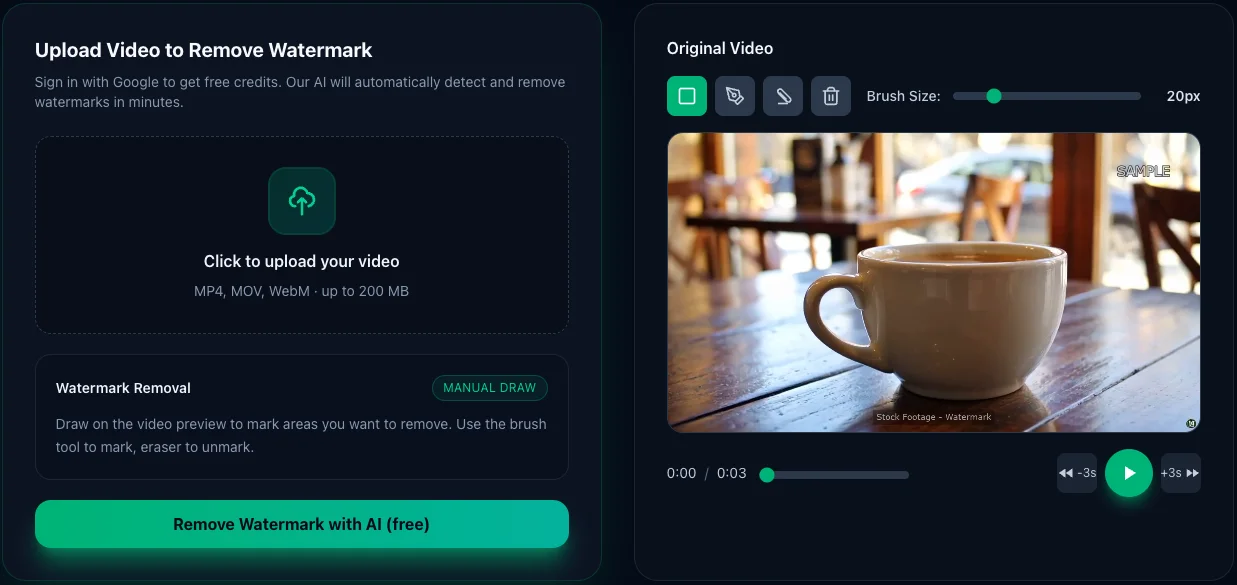
    How to remove Veo watermark for free - Step 1: Export your video from Veo app with watermark
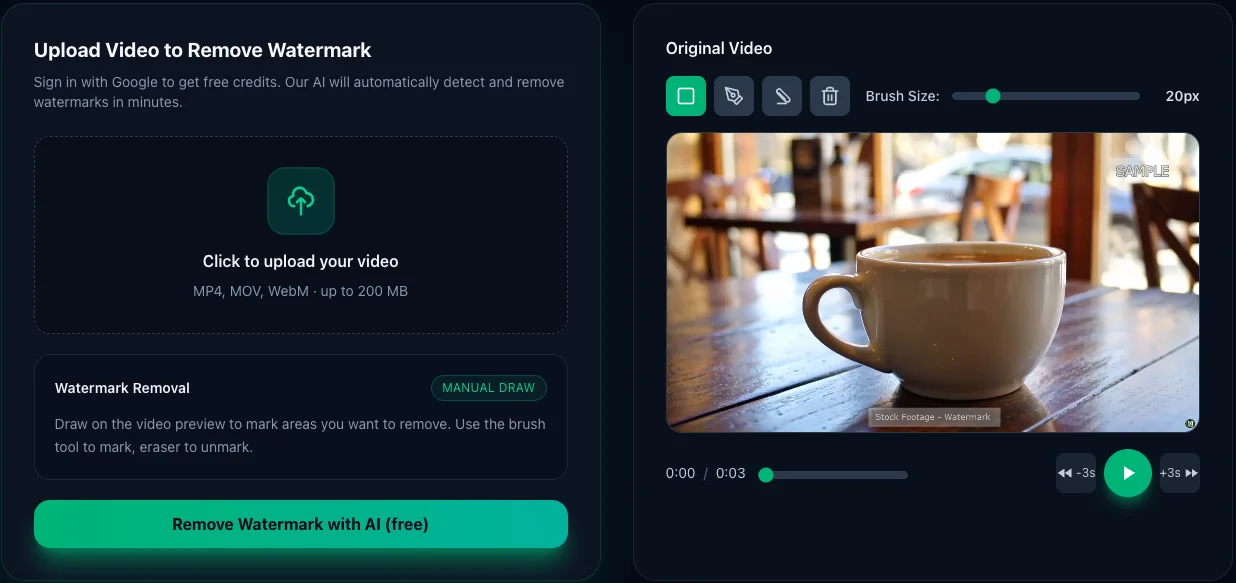
  2. Remove Veo watermark online - Step 2: Upload your Veo video to free AI-powered watermark remover

    2.Upload Your Video File

    On this page, click the "Upload Video" button in the tool area above. Select the video file you just exported from Veo. The upload is secure and processes locally in your browser.

    • Supports MP4, MOV, and most video formats
    • Sign in with Google for free credits
  3. 3.AI Automatically Detects & Removes

    Our advanced AI technology instantly analyzes your video to locate the Veo watermark. It then intelligently removes the watermark while preserving the rest of your video quality.

    • Smart AI detection of watermark location
    • Preserves original video quality
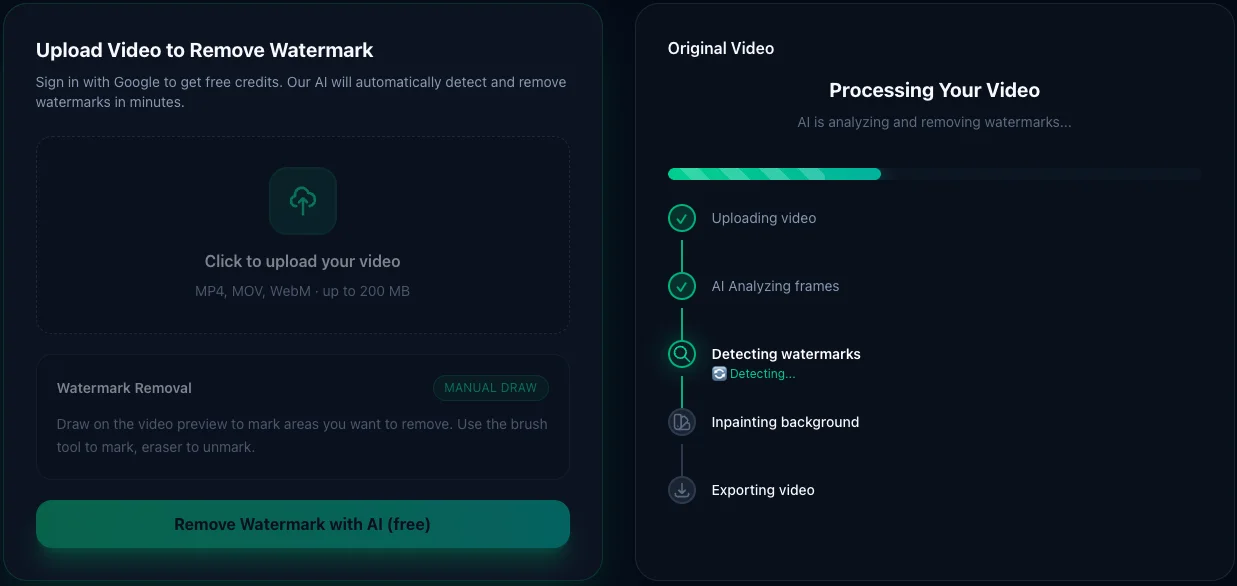
    How to remove Veo watermark with AI - Step 3: AI automatically detects and removes Veo logo from your video
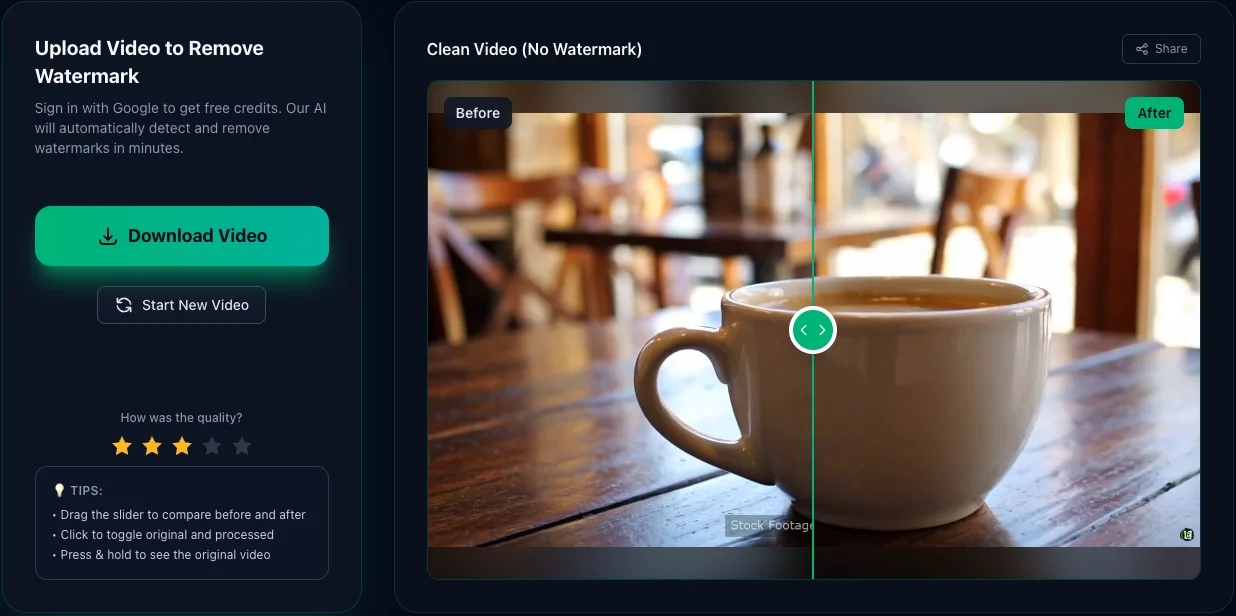
  4. Download watermark-free video - Step 4: Preview and download clean video without Veo watermark

    4.Download Your Clean Video

    Once the AI finishes processing, you'll see a preview of your clean video with the watermark completely removed. Download the watermark-free video and it's ready to upload to TikTok, Instagram Reels, YouTube Shorts, or any platform!

    • Ready for all social media platforms
    • Same resolution and quality as original

Who is this Veo watermark remover for?

Short-form creators

TikTok, Reels, Shorts creators who want clean clips for cross-posting.

YouTube editors

Use Veo for quick edits, then clean the watermark before publishing.

Client projects

Remove the Veo tag before delivering final videos to brands or agencies.

Drafts & mockups

Clean rough edits used for storyboards, pitches, or internal reviews.

Frequently Asked Questions

Everything you need to know about removing Veo watermarks

Can the Veo watermark be removed?

Yes, the Veo watermark can be completely removed from your videos. Our AI-powered tool automatically detects and removes Veo watermarks while preserving video quality. Simply upload your video, and our advanced algorithm will intelligently reconstruct the background pixels where the watermark was located, leaving you with a clean, professional-looking video.

Does Veo3 have watermarks?

Yes, depending on your export settings and plan, Veo (including newer versions like Veo3) may add watermarks to exported videos. The watermark is typically a small Veo logo placed in the corner of the video (often top-right or bottom-left). Some premium plans or specific export options may allow watermark-free exports, but many users encounter the Veo branding on their finished videos. If you've already exported a video with the Veo watermark, our tool can remove it completely.

How do I remove the watermark on a video?

Simply upload your video to our tool above. Our AI automatically detects the watermark location and removes it while preserving video quality. The entire process typically takes 2-3 minutes depending on video length.

How do I remove an existing watermark?

Upload your video to our tool, and our AI will automatically scan and locate the watermark. The AI uses advanced inpainting technology to reconstruct the pixels behind the watermark, ensuring natural-looking removal without blur or distortion. No manual selection or cropping needed.

How to remove Veo watermark in CapCut?

Export the video from CapCut first, then upload it to our online watermark remover tool. CapCut doesn't have a built-in feature to remove existing watermarks, but our AI tool can handle this automatically without requiring any manual editing.

How do I remove watermarks for free?

Sign in with your Google account to receive free credits for processing videos. No credit card required, no hidden fees, and no trial period - use the free credits immediately to remove watermarks from your Veo videos.

Can I legally remove a watermark?

It is legal to remove watermarks from your own content or from videos where you have the rights to edit. For example, if you created a video in Veo and the app added its branding watermark during export, you have every right to remove that watermark. However, removing watermarks from copyrighted material you don't own or don't have permission to modify may constitute copyright infringement. Always ensure you have the legal right to edit the video before removing watermarks.

Can we remove a watermark from someone else's video?

While our tool is technically capable of removing watermarks from any video, you should only remove watermarks from videos you own or have explicit permission to edit. Removing watermarks from copyrighted content without authorization may violate intellectual property laws. Our service is designed for creators who want to remove watermarks from their own content exported from platforms like Veo, TikTok, or other editing apps.

Can watermarks be easily removed?

Yes, watermarks can be easily removed with the right AI technology. Our tool makes the process incredibly simple - just upload your video, and the AI handles everything automatically. Unlike manual methods that require frame-by-frame editing or cropping, our advanced algorithm removes watermarks in minutes while maintaining video quality. The process is so easy that even users with no video editing experience can achieve professional results.

What is the best video watermark remover?

The best video watermark remover uses AI-powered inpainting technology to intelligently reconstruct background pixels, rather than simply blurring or cropping. Our tool automatically detects watermarks, preserves original video quality, works on any watermark type (Veo, TikTok, CapCut, etc.), and processes videos online without requiring software installation.

How do I remove a watermark from a video on my iPhone?

Open Safari browser on your iPhone and visit videowatermarkremove.com. Sign in with your Google account, upload your video, and download the clean result. The entire process works directly in your mobile browser - no app installation required.

How to remove watermark from video without any app?

Our web-based AI tool works in any browser (Chrome, Safari, Firefox, etc.) on your phone or computer. The watermark removal happens entirely online - you upload your video, the AI processes it on our servers, and you download the clean result. Zero downloads, zero installations, and zero storage space needed on your device.