V

Remove TikTok Watermark from Video with AI

Free online TikTok watermark remover tool. Remove TikTok watermarks from videos instantly – including the TikTok logo, username watermarks, and branded overlays. AI-powered watermark removal works directly in your browser. Upload your TikTok video and remove the watermark in minutes. No software download required.

Upload TikTok Video to Remove Watermark

Sign in with Google to get free credits. Draw a mask on the TikTok watermark area, and our AI will remove it in minutes.

Watermark Removal Manual Draw

Draw on the video preview to mark areas you want to remove. Use the brush tool to mark, eraser to unmark.

Original Video

No video uploaded yet

Upload a video to see the preview here

How to Remove TikTok Watermark from Video

Follow these simple steps to remove TikTok watermarks from your videos using AI

  1. 1.Upload Your Video

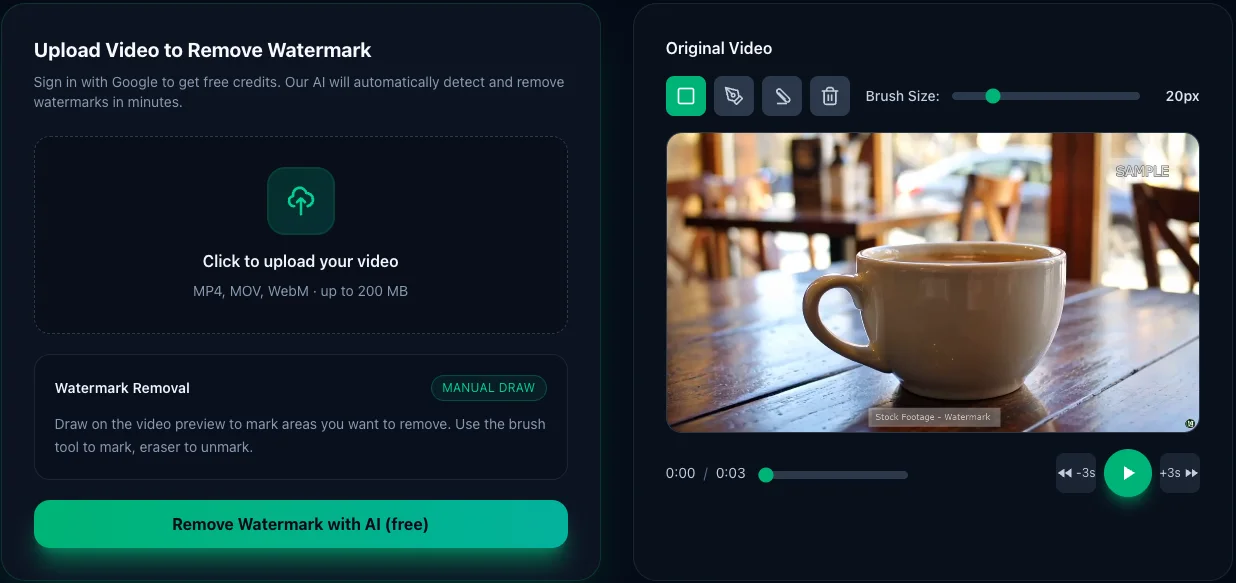
    Click or drag your video file into the upload area. We support MP4, MOV, WebM formats up to 200MB. Your video will be previewed on the right side for the next step.

    • Supports MP4, MOV, WebM formats
    • Maximum file size: 200MB
    • Maximum file size: 200 MB
    • No account needed for anonymous upload
    How to remove TikTok watermark from video - Step 1: Upload video with watermark to our free AI tool
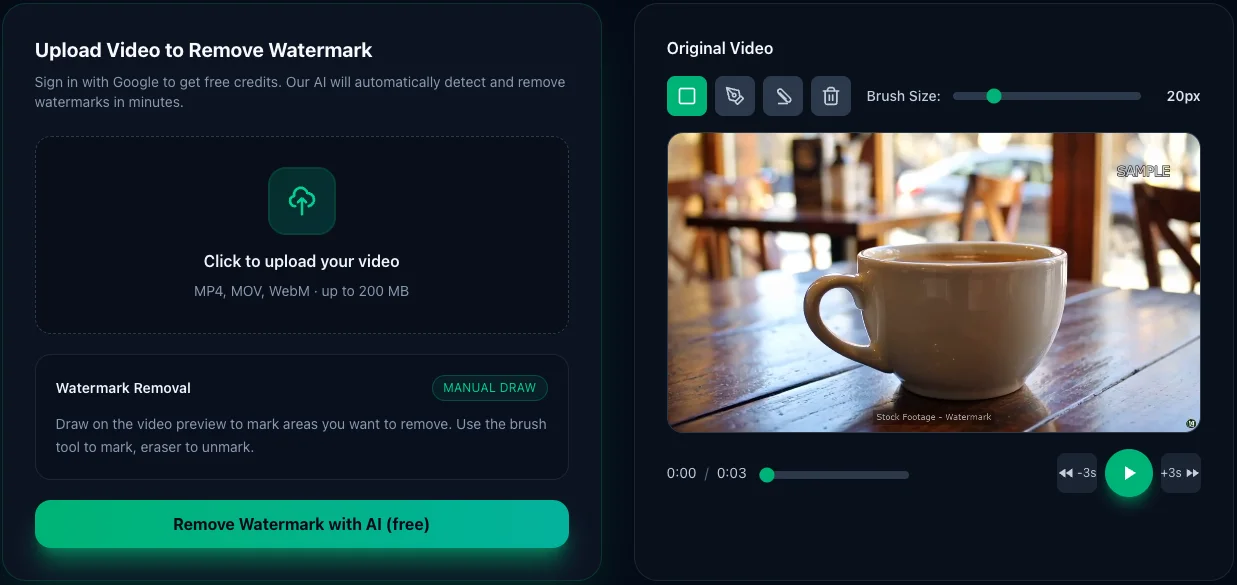
  2. Remove TikTok watermark from video - Step 2: Draw mask over watermark area with rectangle tool

    2.Draw Over Watermark

    Use the brush tool to paint over the watermark or logo you want to remove. You can adjust brush size, use rectangle selection for large areas, or eraser to refine. The white overlay marks what will be removed.

    • Brush, rectangle, and eraser tools
    • Adjustable brush size for precision
    • Clear all or refine with eraser
  3. 3.AI Processing

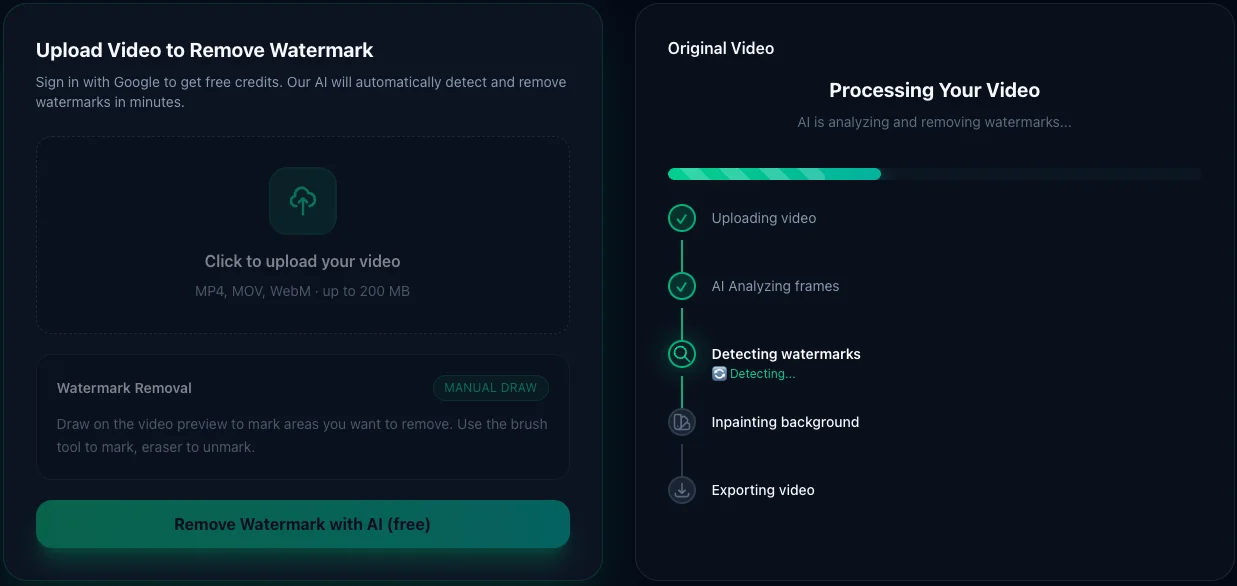
    Click "Remove Watermark with AI" button. Our AI will analyze your video and intelligently remove the watermark while preserving video quality. Processing typically takes 2-5 minutes depending on video length.

    • AI-powered inpainting technology
    • Processing takes 2-5 minutes
    • Real-time progress updates
    AI automatically removes TikTok watermark from video - Step 3: Processing with advanced AI technology
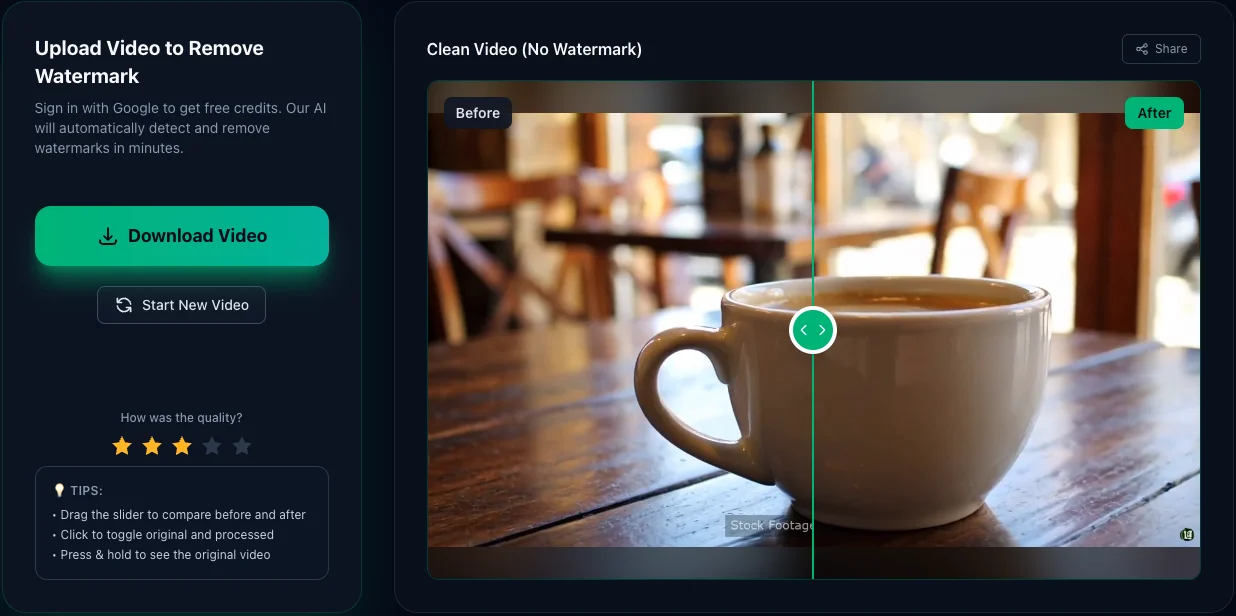
  4. Download TikTok watermark-free video - Step 4: Preview before/after comparison and download clean video

    4.Download Clean Video

    Preview your watermark-free video with our before/after comparison slider. Satisfied? Click "Download Video" to save your clean video in high quality. No watermarks added by our tool!

    • Interactive before/after comparison
    • Original quality preserved
    • No watermarks added by our tool

Why use our TikTok Watermark Remover?

01

No software

100% online – works in your browser. No installs, no plugins.

02

Smart AI clean

AI analyzes each frame and tries to fill the watermark area naturally.

03

HD quality

Designed to keep as much detail as possible while removing overlays.

Perfect for creators, editors, and marketers

Content repurposing

Reuse old clips, intros, or branded content without outdated logos or text.

Client work

Clean sample footage, social media exports, or drafts before delivering to clients.

Social media clips

Remove platform tags and overlays when re-editing content for new channels.

Tutorials & demos

Remove unwanted screen overlays or recording software logos from tutorial videos.

Frequently Asked Questions

Everything you need to know about removing video watermarks

Is there a way to remove TikTok watermark?

Yes, absolutely. Our AI-powered TikTok watermark remover can completely erase the TikTok logo, username overlay, and other watermarks from your saved videos. Simply upload your video, draw a mask over the watermark area, and our advanced ProPainter AI will intelligently reconstruct the background pixels to remove the watermark seamlessly.

How do I save my TikTok without a watermark?

Save your TikTok video to your device first, then upload it to our TikTok watermark remover tool. Use the mask tool to mark the TikTok watermark area (usually in the bottom-right corner with the TikTok logo and username), and our AI will process and remove it. Download your watermark-free TikTok video when complete.

How do I delete a watermark in a video?

Upload your video to our AI watermark remover and use the mask drawing tool to mark the watermark location. Our ProPainter AI analyzes the surrounding pixels and intelligently reconstructs the background where the watermark was. Unlike simple blur or crop methods, our AI inpainting actually removes the watermark.

How to remove watermark for free?

Sign in with your Google account to receive free processing credits. Upload your TikTok video (up to 200MB), draw a mask over the watermark area, and our AI will process and remove it automatically. No credit card required for the free tier, and you can process multiple videos using your free credits.

Can CapCut remove watermark?

CapCut itself doesn't have a built-in feature to remove existing watermarks from TikTok videos. However, you can use our AI watermark remover to remove both TikTok watermarks and CapCut watermarks. If you've edited a TikTok video in CapCut and it has both watermarks, our tool can remove them. We also have a dedicated CapCut Watermark Remover page optimized specifically for CapCut template watermarks.

How to use CapCut to remove TikTok watermark?

CapCut doesn't have a direct watermark removal feature. Export your video from CapCut first, then upload it to our TikTok watermark remover to remove both TikTok and CapCut watermarks. Optionally, import the clean video back to CapCut for further editing. CapCut is excellent for video editing, but for watermark removal, you need AI inpainting technology like ours.

Is removing a TikTok watermark illegal?

It depends on the video ownership and intended use. Removing a TikTok watermark from your own original content that you created is completely legal - you own the copyright and can edit your videos as you wish. However, removing watermarks from someone else's TikTok videos without permission may violate copyright law and TikTok's Terms of Service. Always ensure you have the rights to the content before removing watermarks.

Can I legally remove a watermark?

Yes, you can legally remove a watermark from your own original content or content you have permission to edit. You have full rights to remove platform watermarks like TikTok or CapCut logos from videos you created. You cannot legally remove watermarks from someone else's copyrighted content without permission or from stock footage without purchasing a license.

Can I pay to remove CapCut watermark?

CapCut offers a paid subscription that removes the CapCut watermark from your exports, but this won't remove TikTok watermarks from videos you import. Our AI Watermark Remover can remove both CapCut and TikTok watermarks from any video. We offer free credits when you sign in with Google, and additional credits can be purchased if needed.

Why is CapCut illegal in the US?

CapCut is not outright illegal in the US, but there are regulatory and policy concerns. As of January 2026, CapCut (owned by ByteDance, the same company as TikTok) faces potential bans or restrictions in the US due to data privacy and national security concerns related to Chinese data handling practices. The situation is evolving and subject to legal proceedings. Our TikTok watermark remover operates independently of CapCut and TikTok, running on US-based cloud infrastructure with privacy-focused design. We prioritize user privacy and comply with US data protection regulations.

What is the best video watermark remover?

The best video watermark remover uses advanced ProPainter AI to intelligently reconstruct backgrounds, not just blur or crop. Our tool works on any watermark (TikTok, CapCut, Sora, Veo, stock footage, custom logos), is completely web-based with no software installation needed, offers free credits when you sign in with Google, maintains your original video quality, and automatically deletes videos after processing for privacy.